 |
ARTICLES |
|
Automotive Design with iQBus |
COMPONENT DESIGN
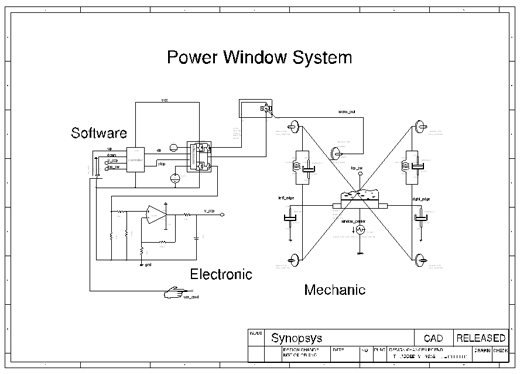
Components can usually be designed in parallel to the topology. Another Jump Start Design (Figure 7), a power window system, was select to illustrate this process.
In the virtual prototype the whole power windows system is modeled. The behavior of the mechanical parts of the window, including effects such as friction and damping, is modeled on the right side in the schematic. In the design progress the best-suited motor and motor driver can be picked and the control software can be optimized - all in the context of the complete system. With the Saber simulator the level of detail of the design can vary from a high-level control system in the s-domain down to the physical implementation with hall sensors monitoring the motor, effectively allowing the user to add as much detail as is available or required.
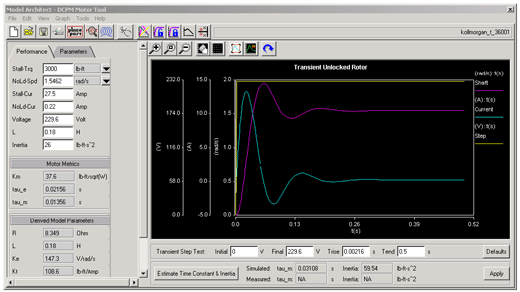
Modeling tools such as the DC/PM tool allow quick and easy generation of models with information from measurements or from datasheets. Models can be generated on multiple different levels; from s-domain to physical level including thermal effects.
 To DESIGN WAVE MAGAZINE's Homepage (English)
 To CQ Publishing's Homepage (Japanese)
Copyright(C) 1996-2003 CQ Publishing Co., Ltd.